
SqlAssist for SSMS 22
Complete SQL, inspect objects, and save queries in SSMS 22—locally, with no cloud or AI.




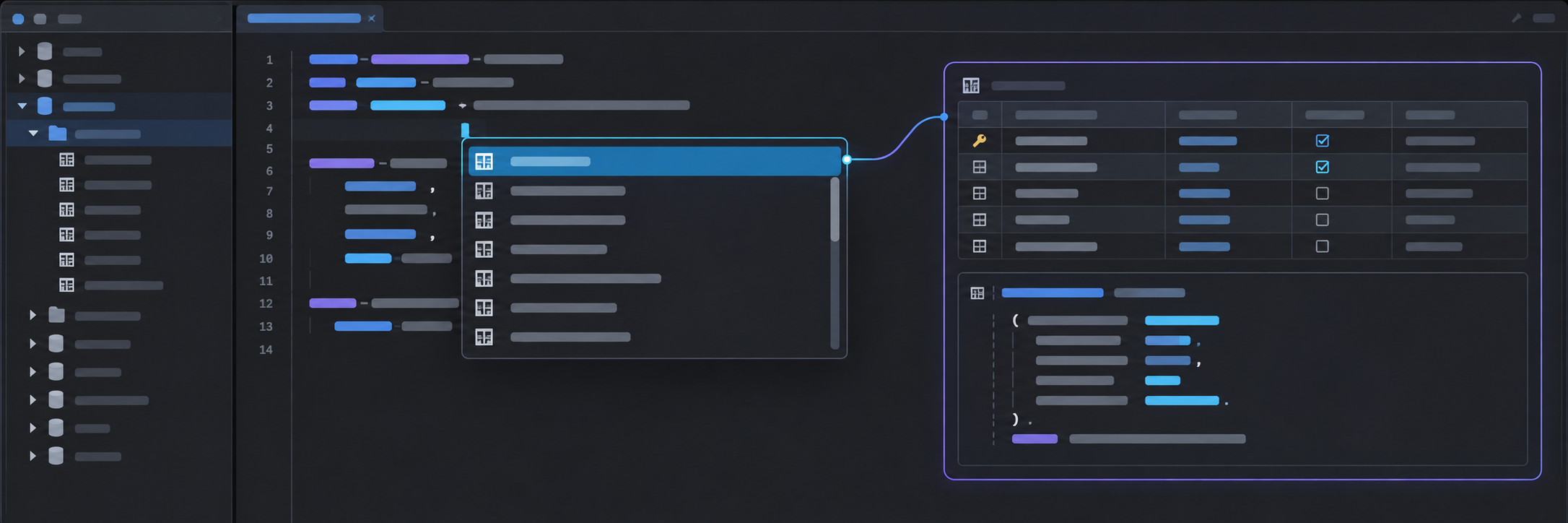
Feature tour
Demos are illustrations with fictional data, not recordings. Play, pause, or replay them.
Complete SQL and inspect objects
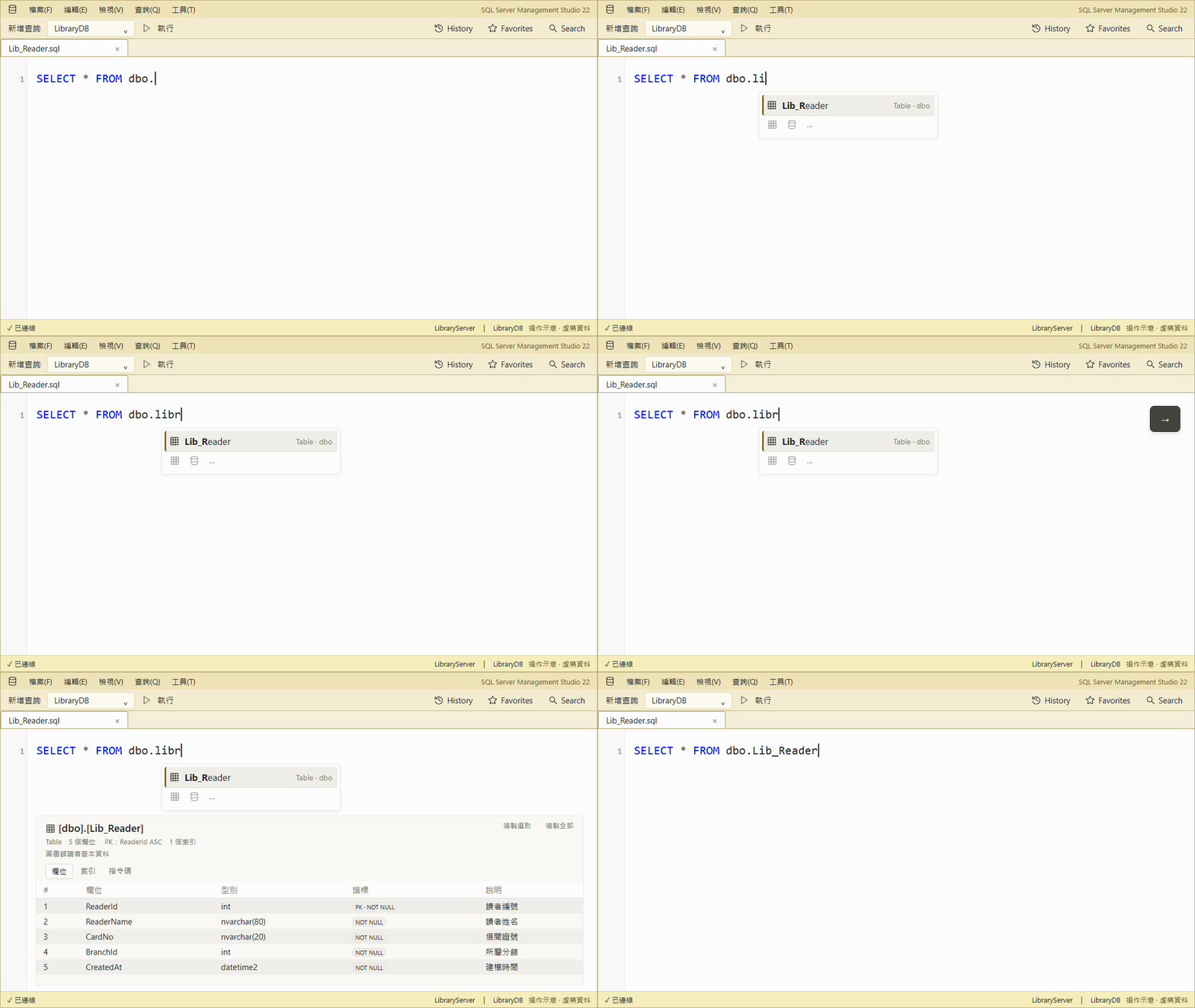
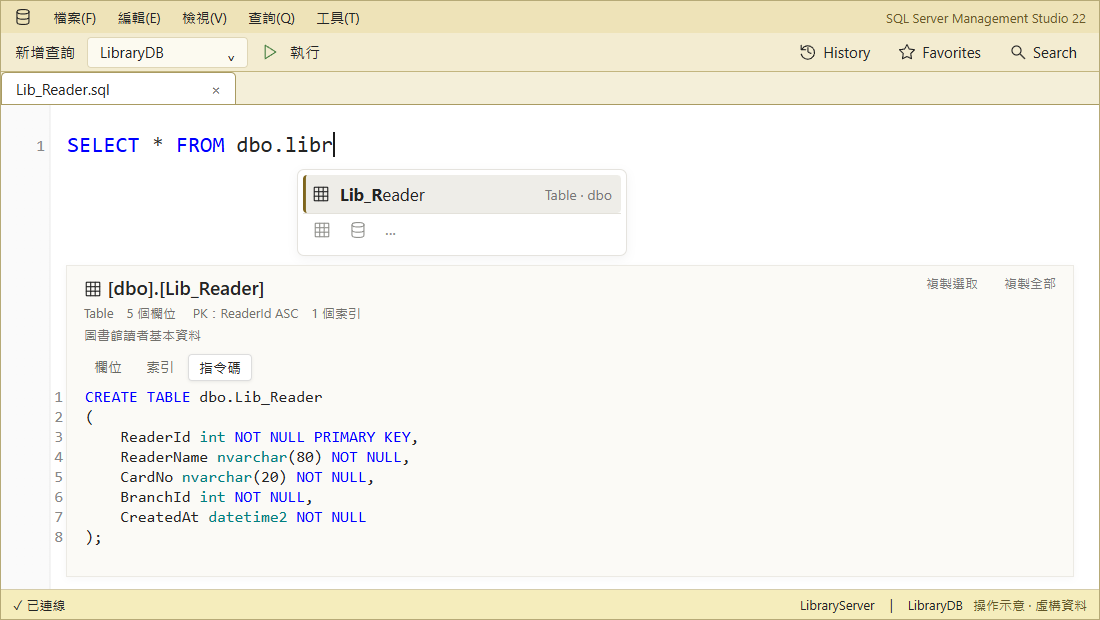
Type libr → Right Arrow previews columns → Tab inserts Lib_Reader. Suggestions follow clauses, aliases, and temp tables.
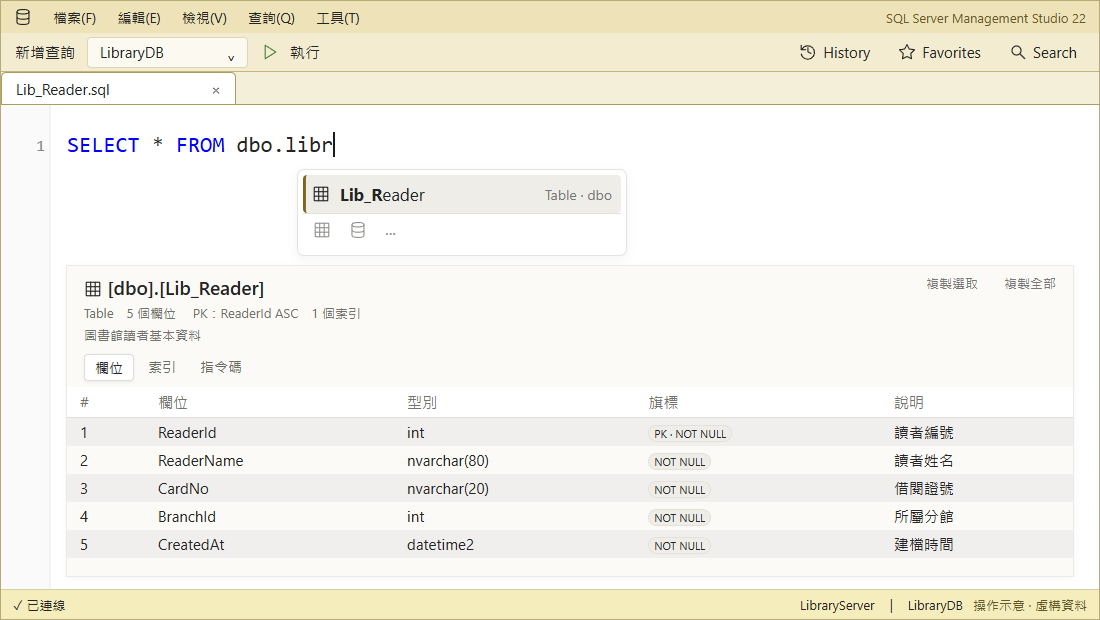
In the preview, open Script to see the DDL.
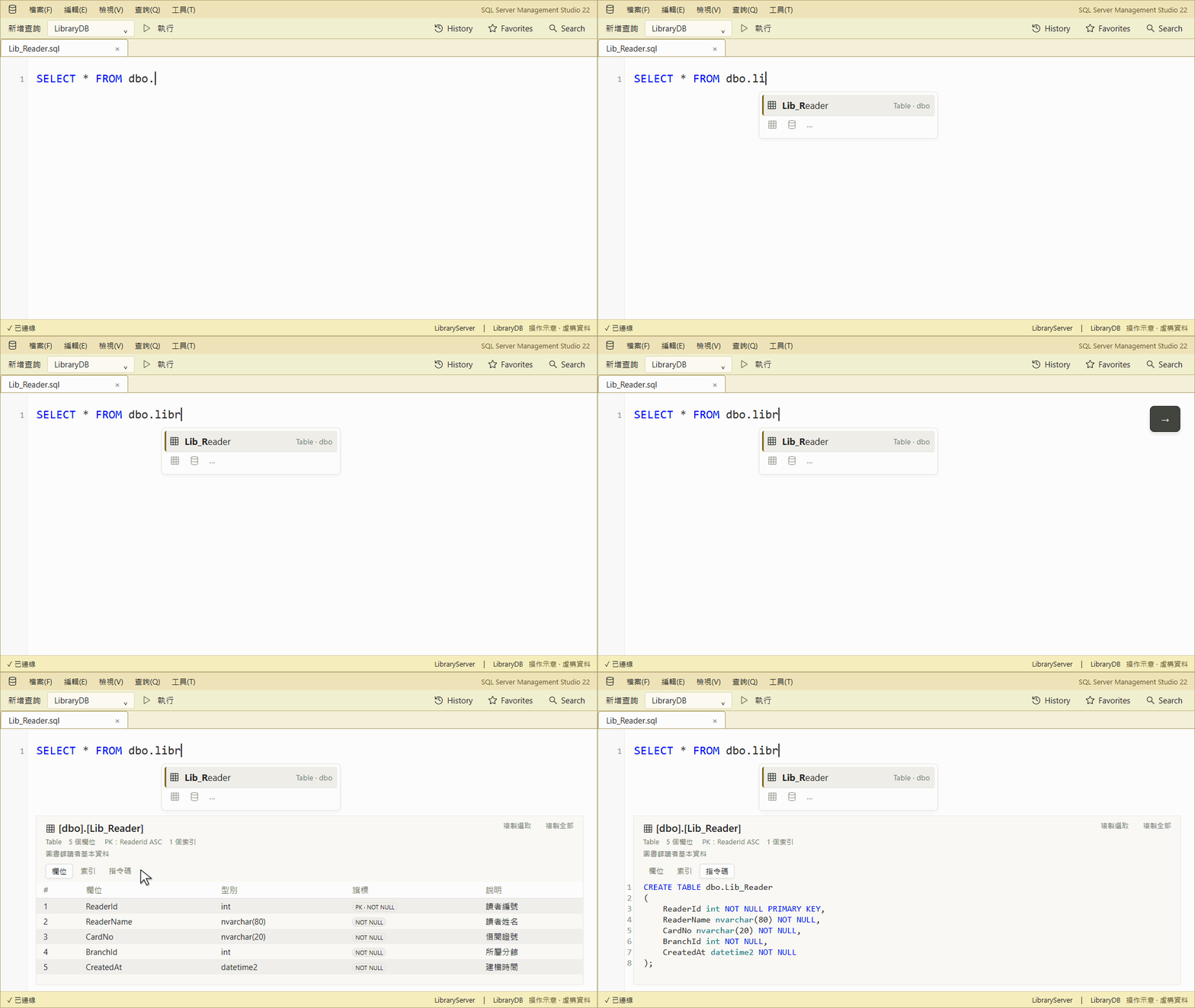
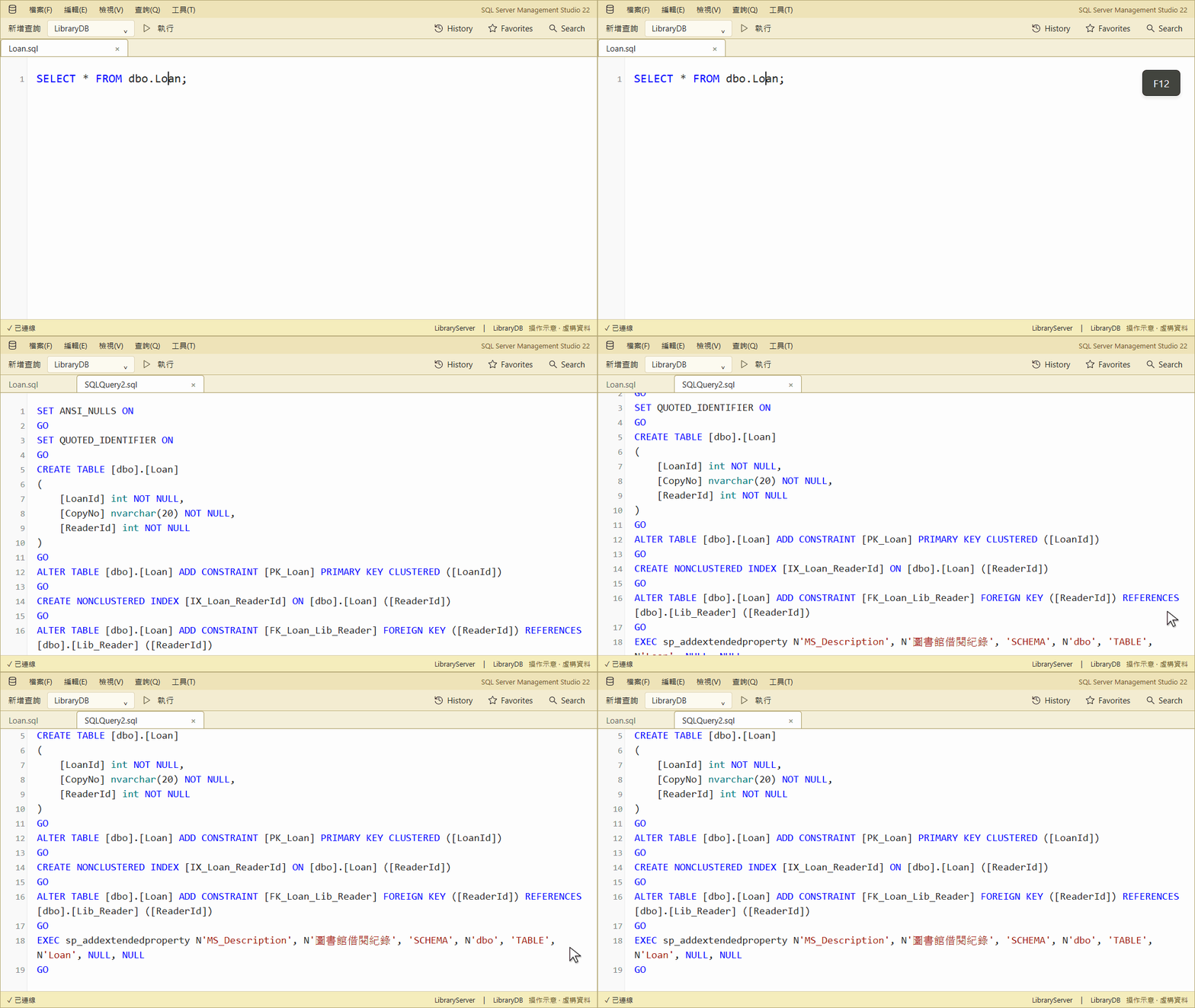
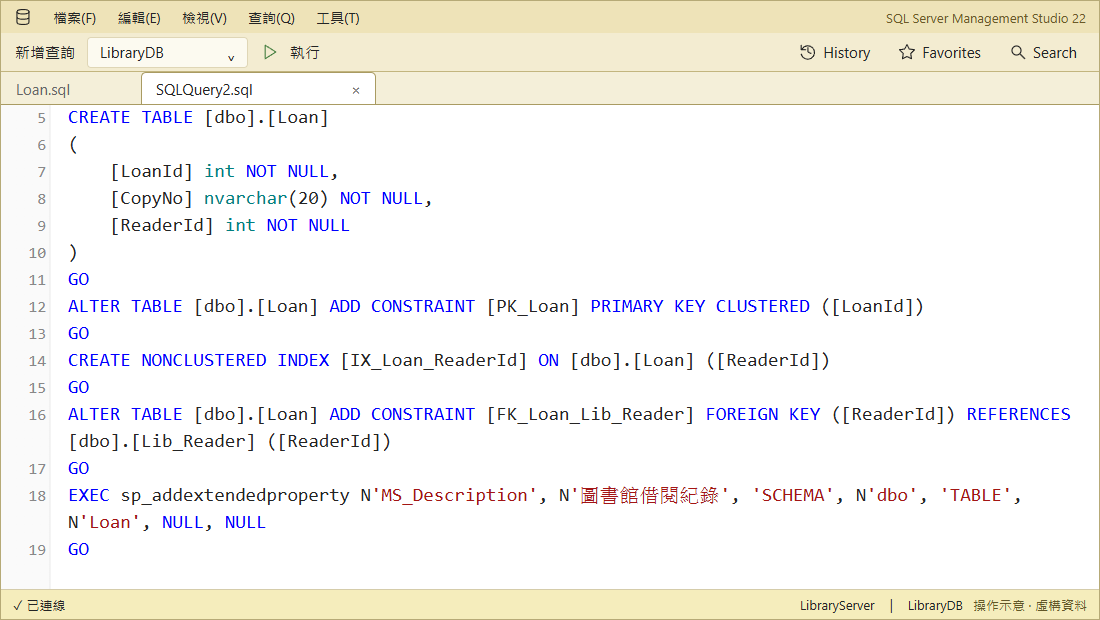
On Loan, F12 opens its full definition without running it.
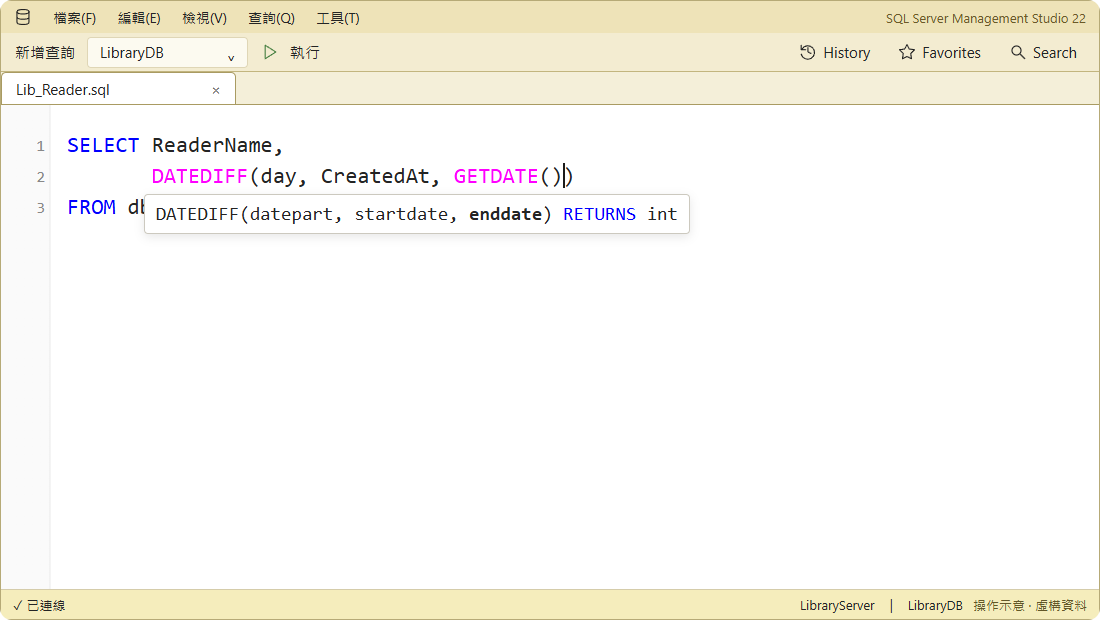
Keep parameter hints on screen
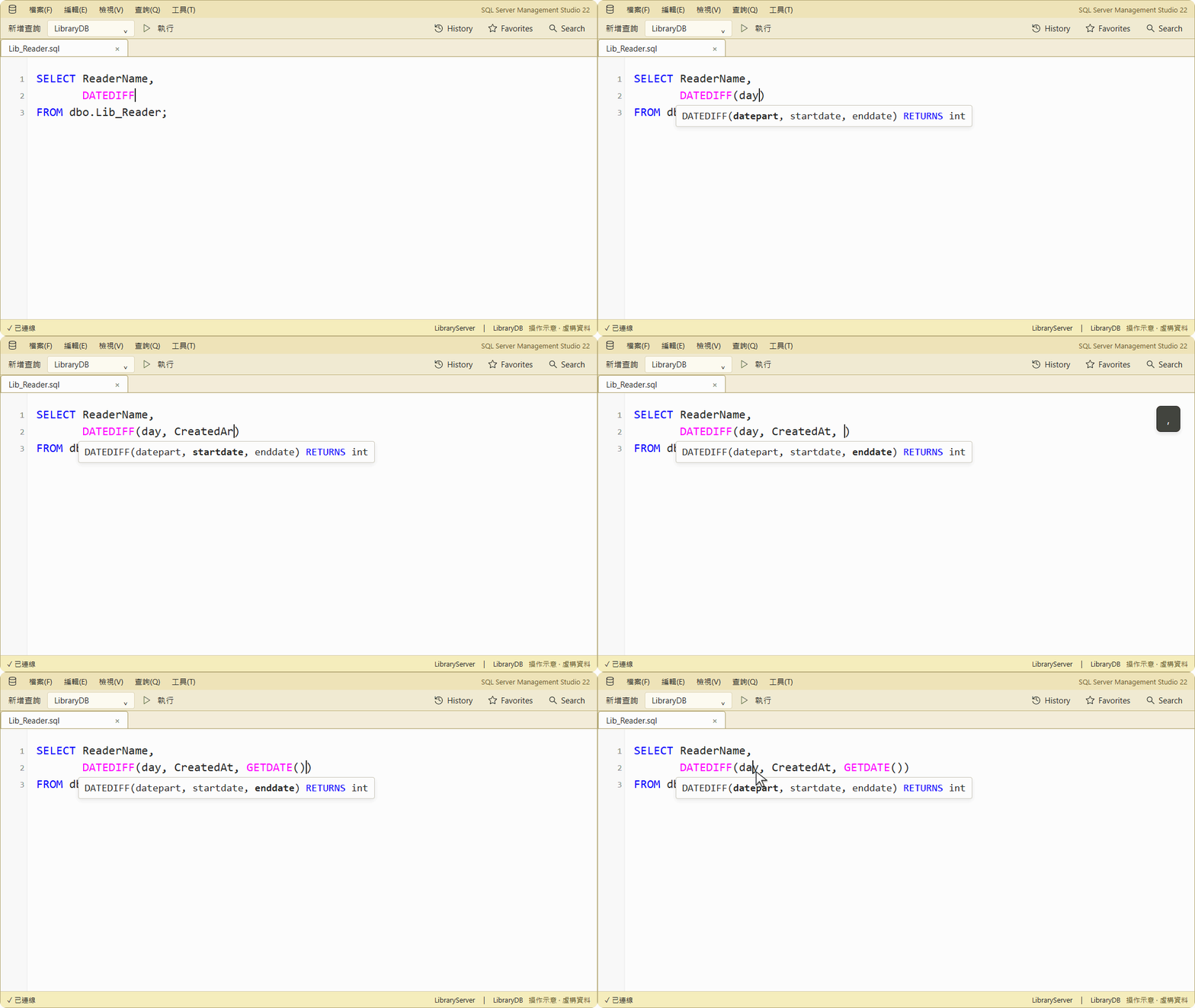
SSMS drops the DATEDIFF( hint after Backspace, a click, or an inner call; SqlAssist brings it back and adds hints for scalar UDFs.
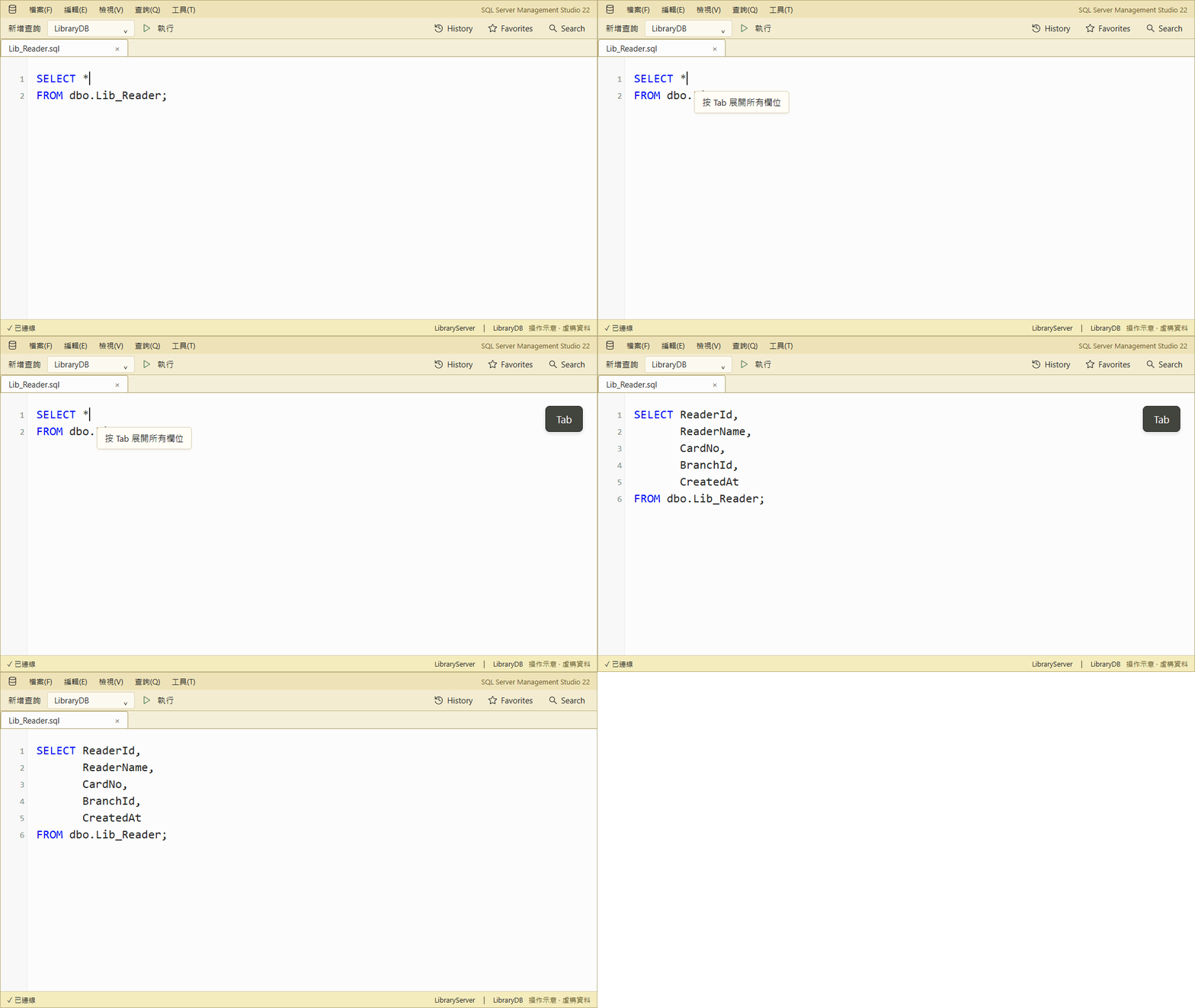
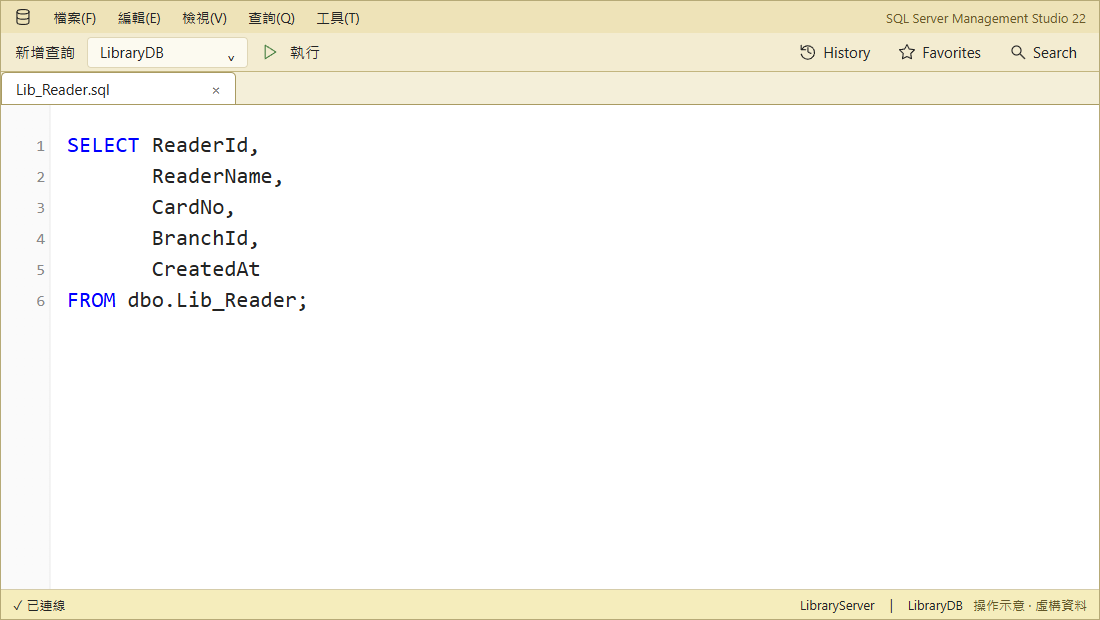
Expand SQL with Tab
SELECT * → press Tab to replace the star with explicit columns.
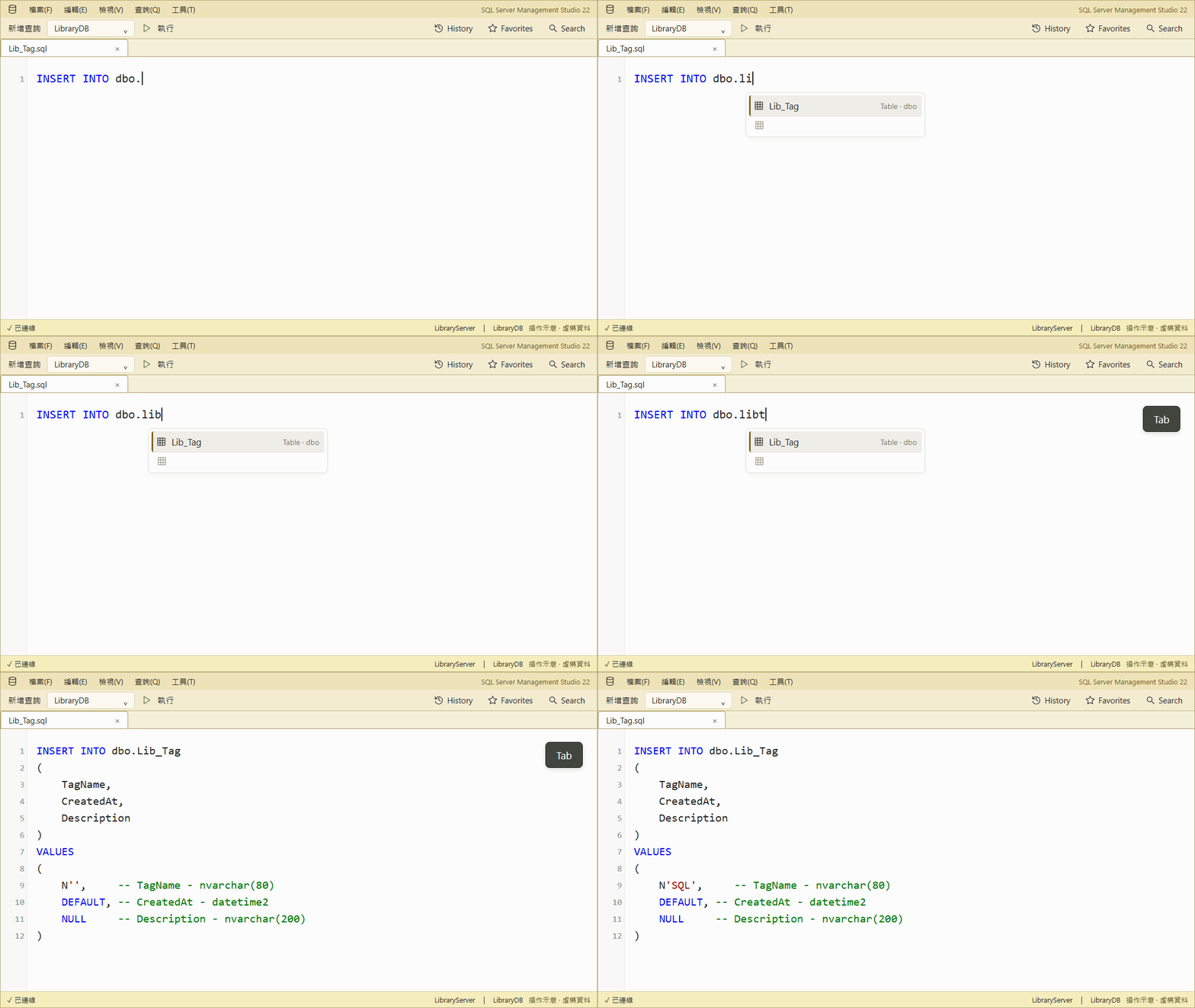
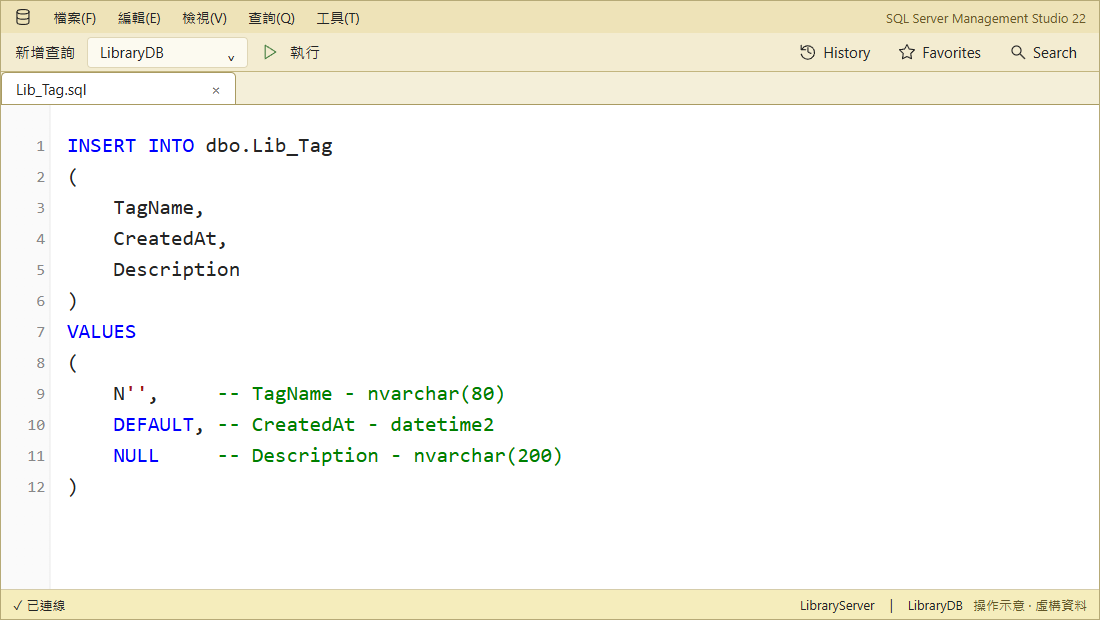
INSERT → select Lib_Tag to generate columns and typed values, skipping identity.
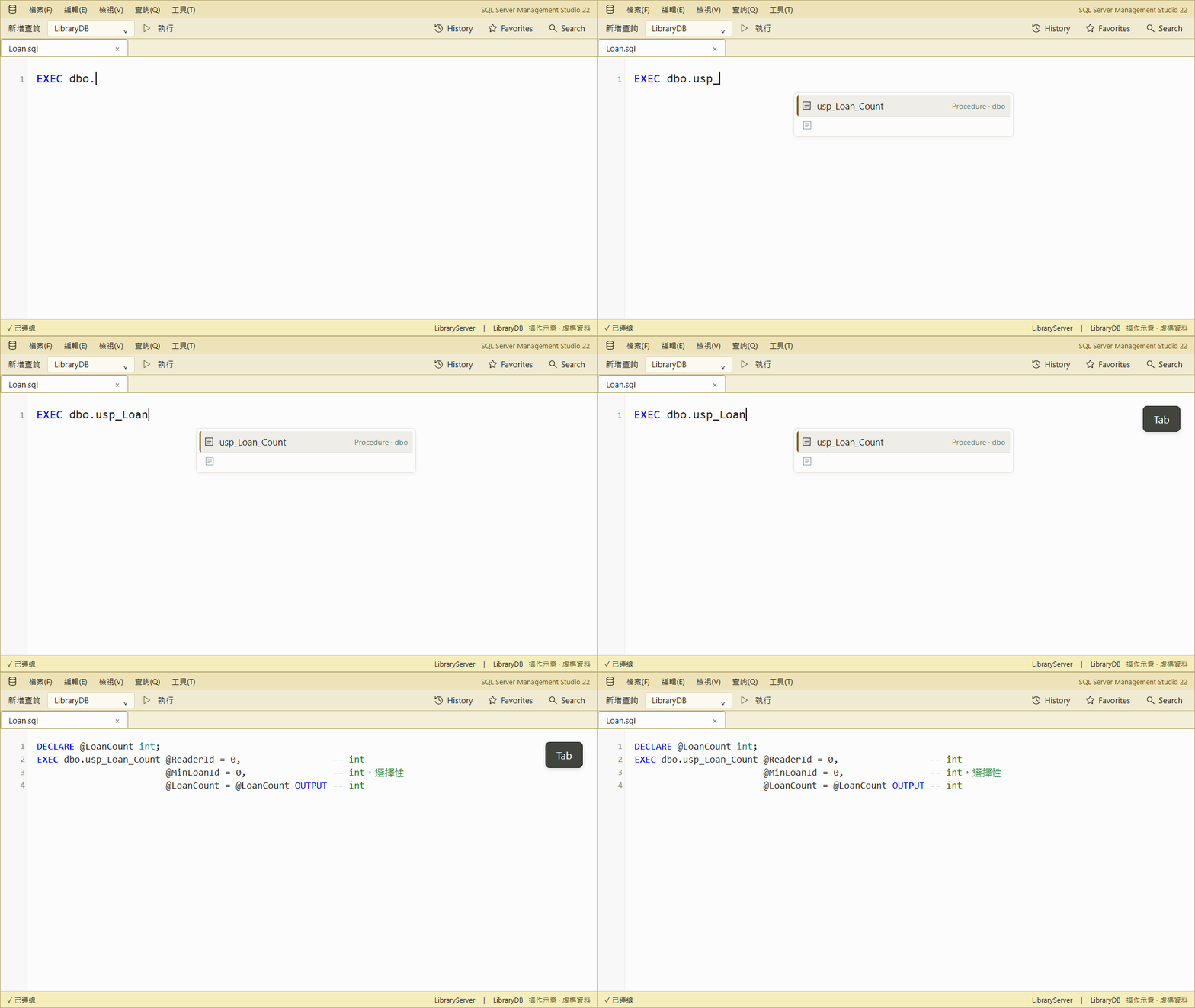
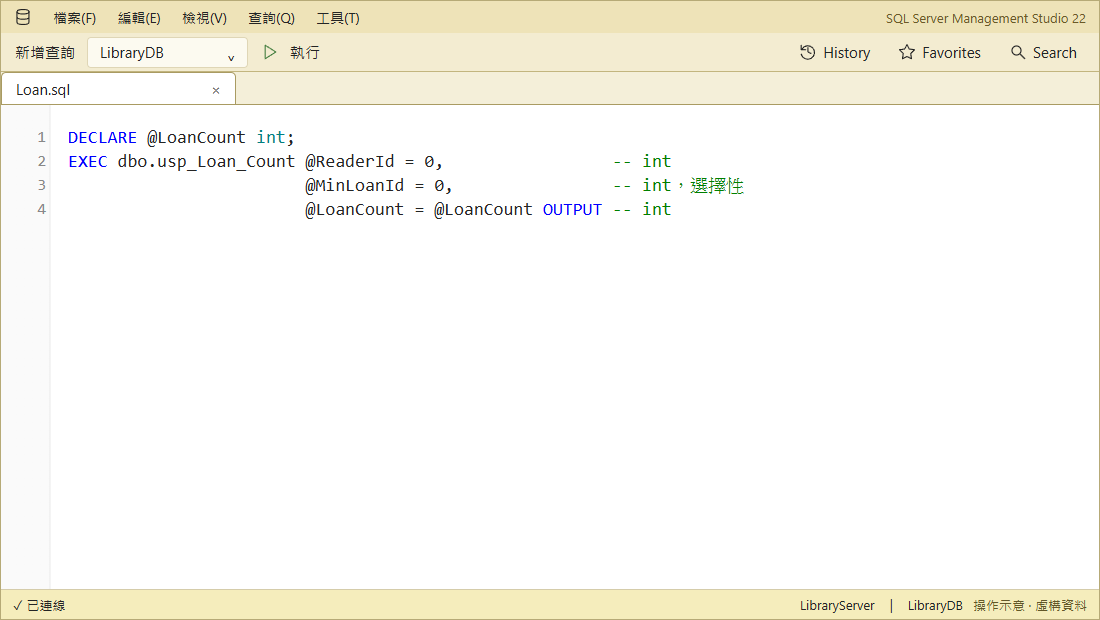
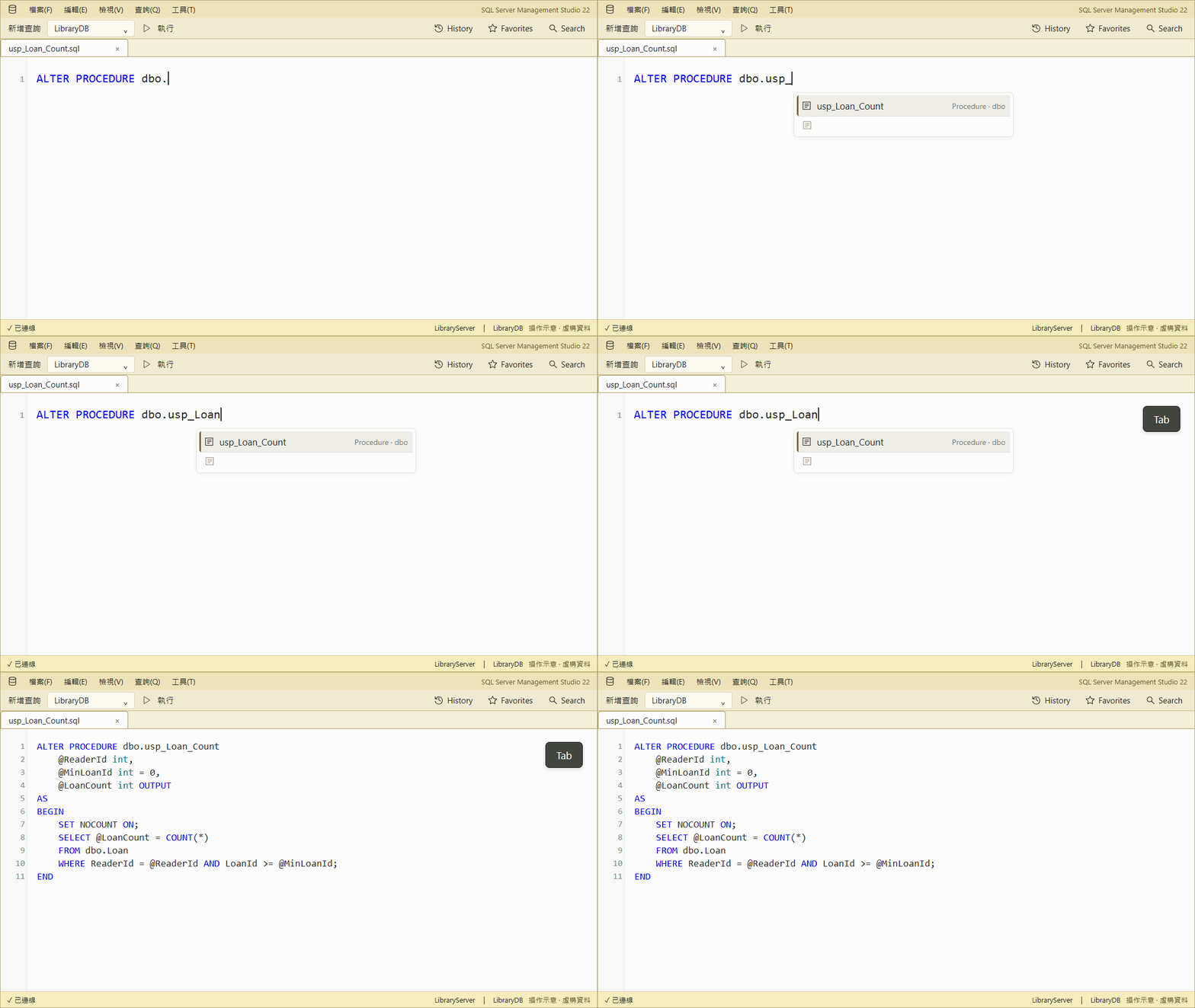
EXEC → select usp_Loan_Count to insert named arguments and an OUTPUT variable.
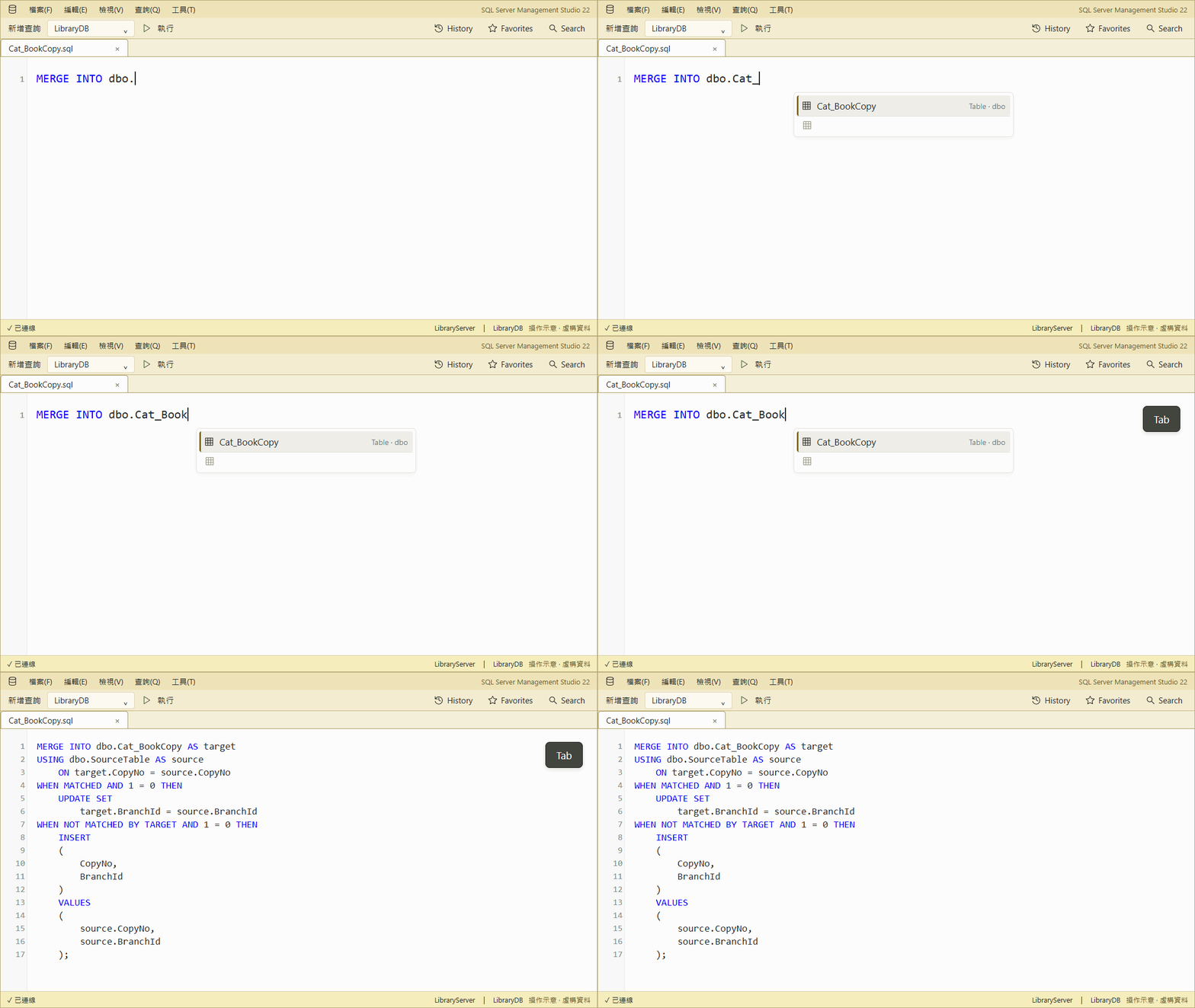
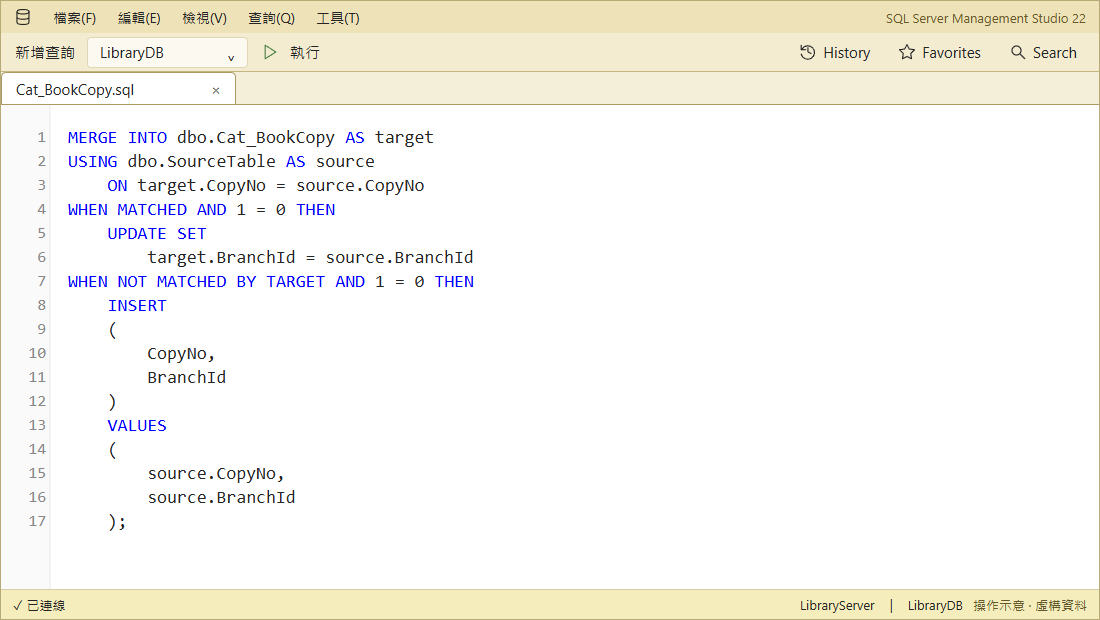
MERGE → select Cat_BookCopy to generate key matching, UPDATE, and INSERT clauses. Replace dbo.SourceTable and review both AND 1 = 0 guards before use.
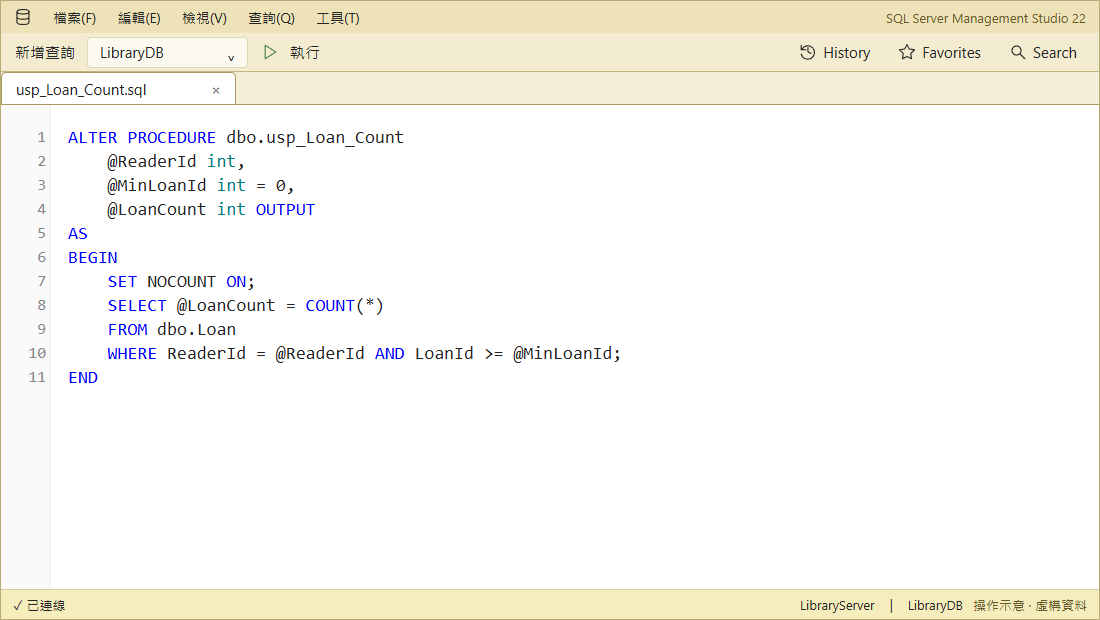
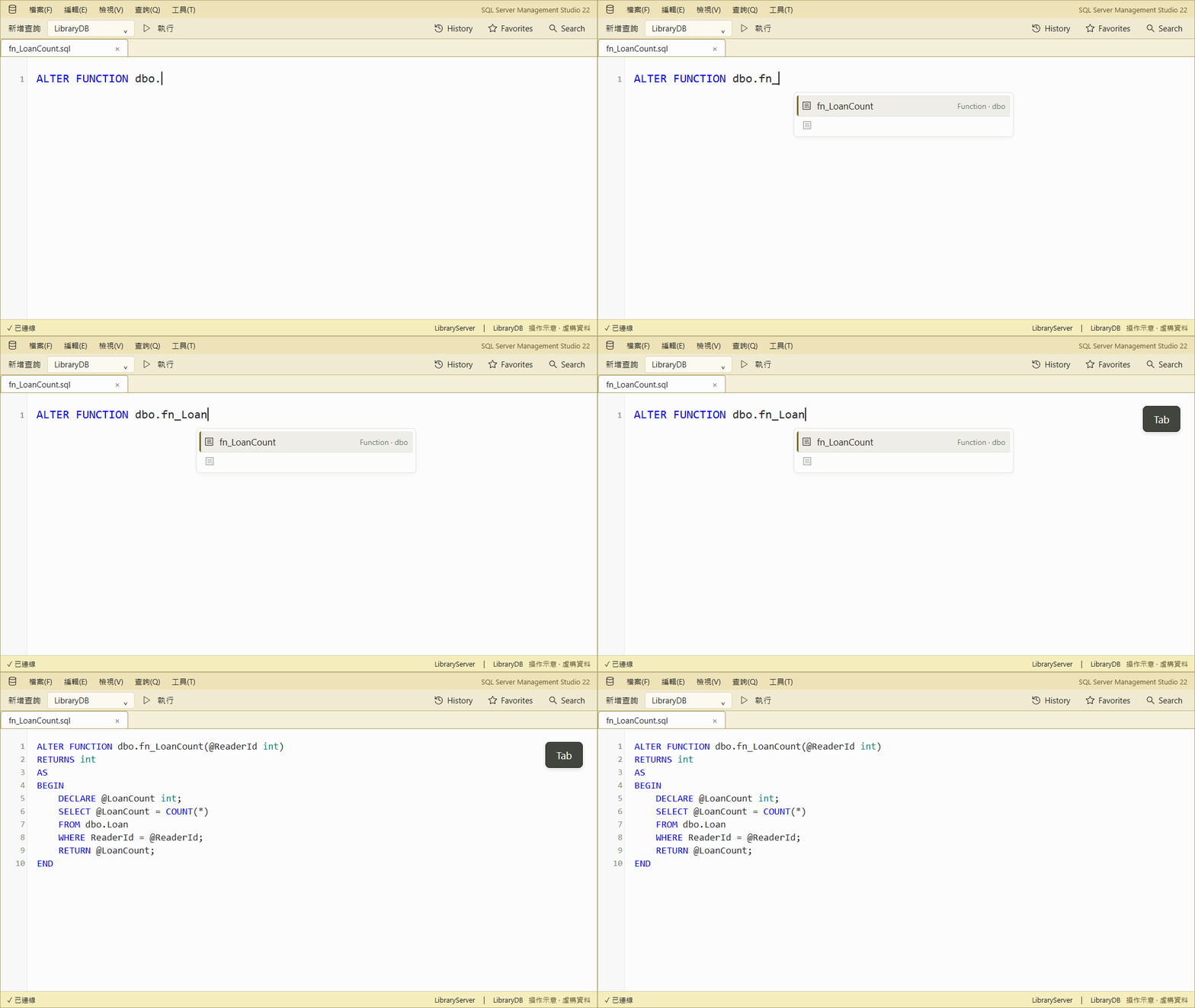
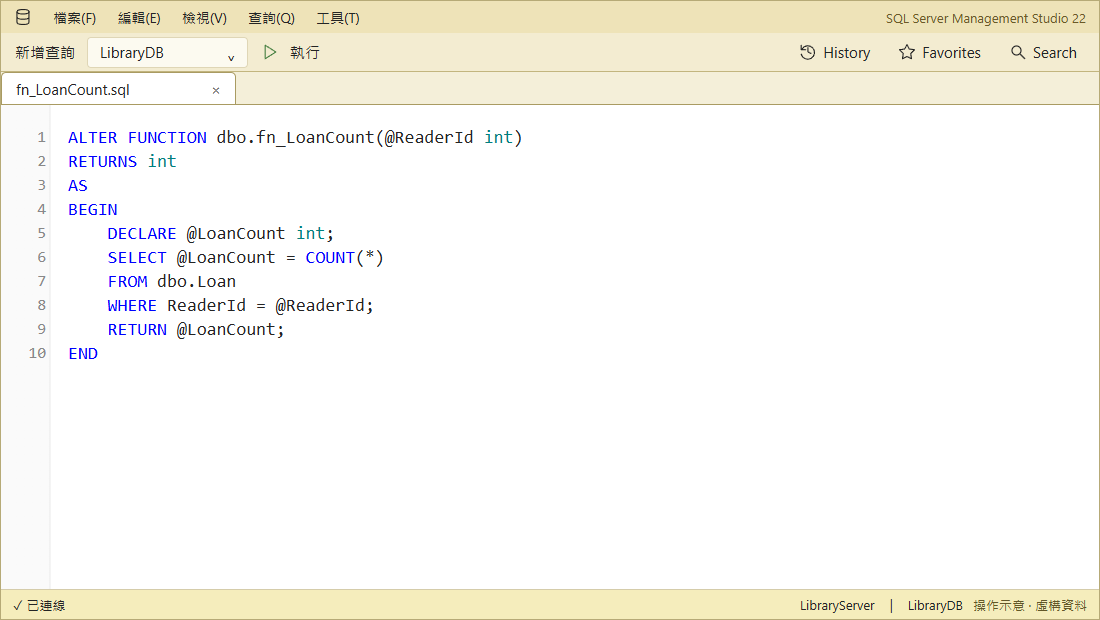
ALTER PROCEDURE / ALTER FUNCTION → select a routine to load its editable definition without running it.
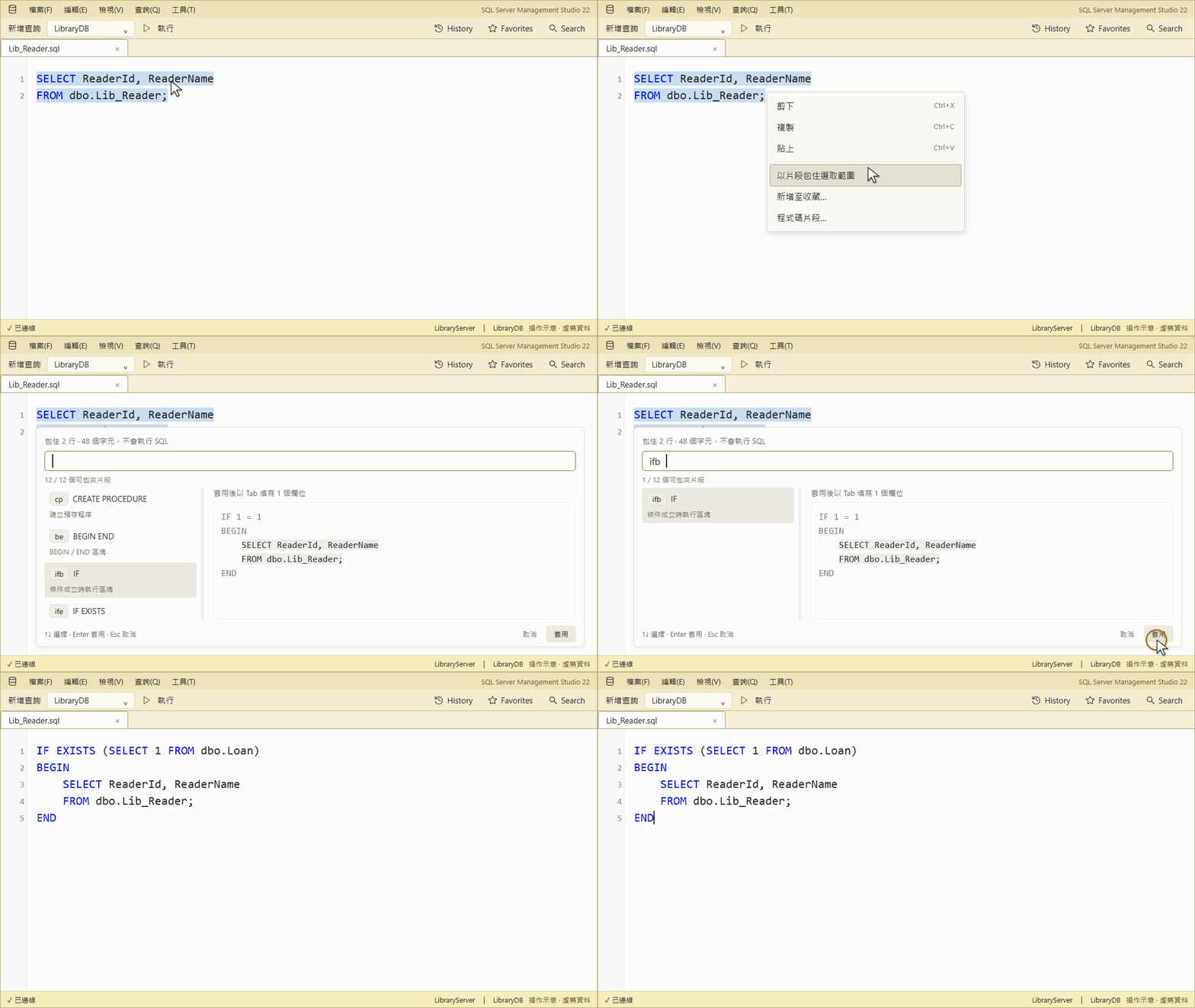
Wrap existing SQL with snippets
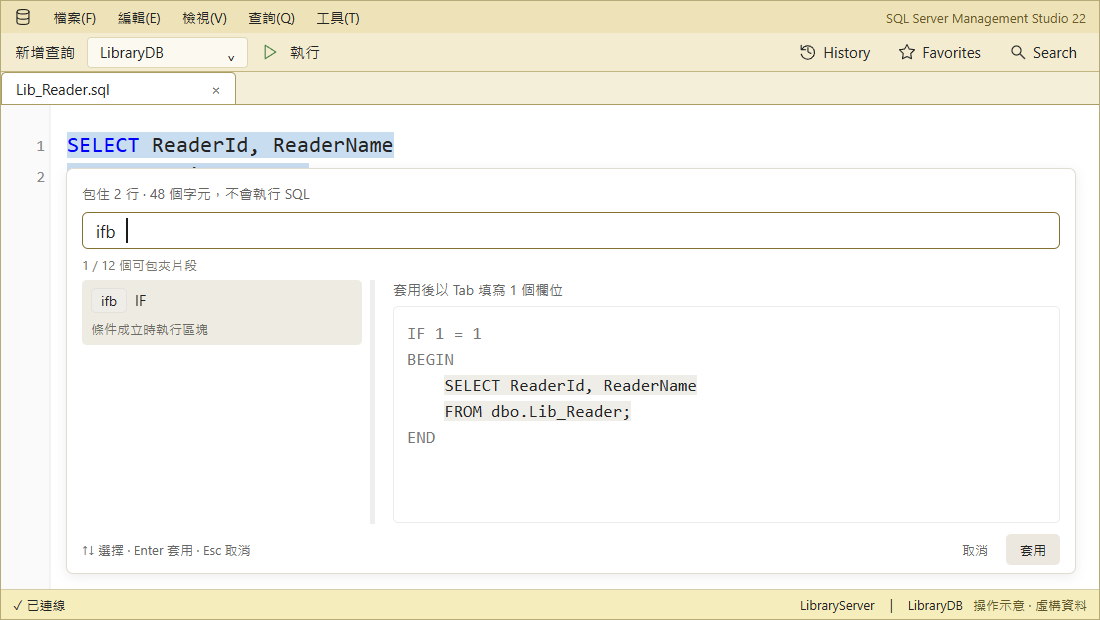
Select SQL → Surround with snippet → apply ifb → edit the condition → Tab.
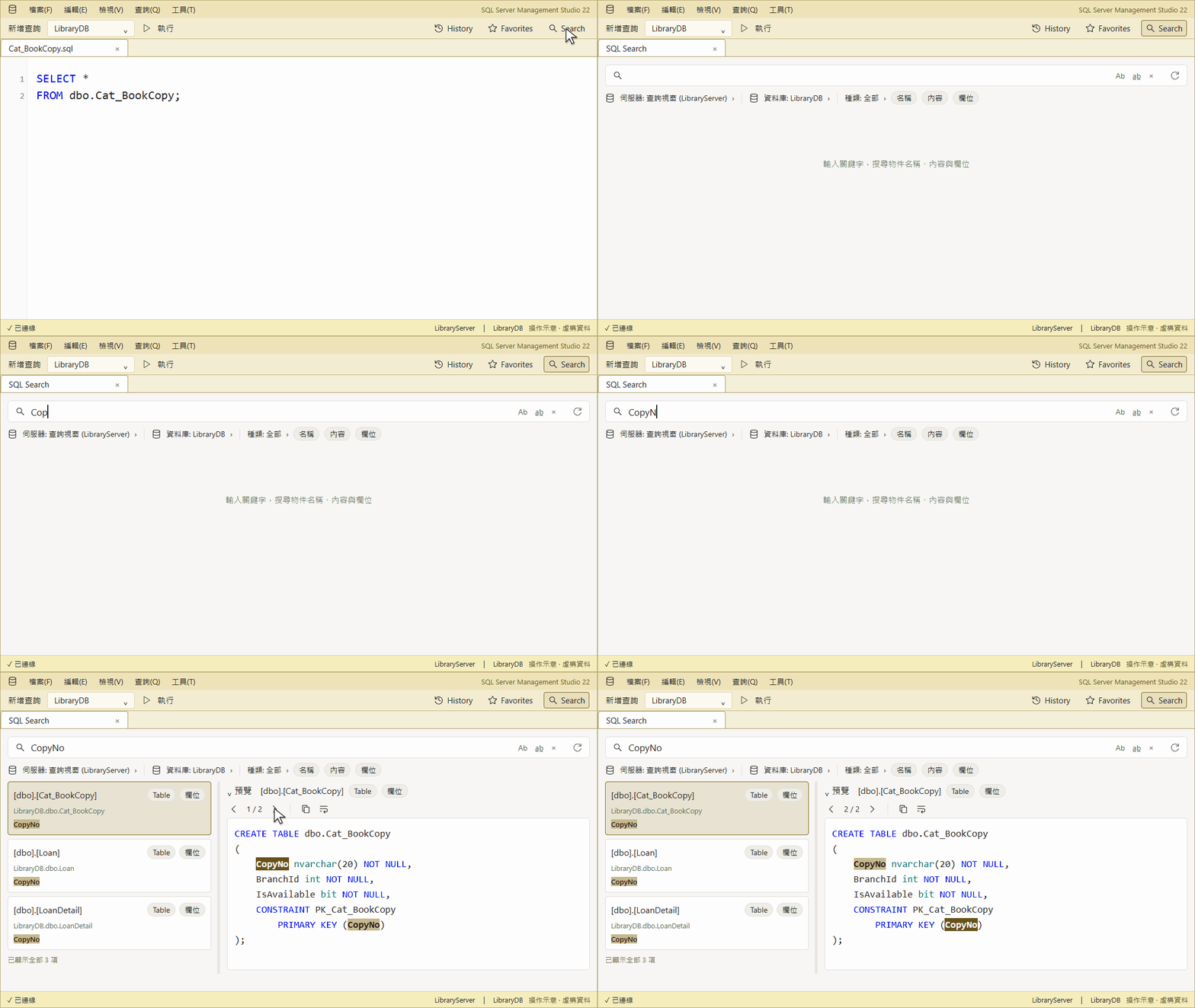
Search database objects
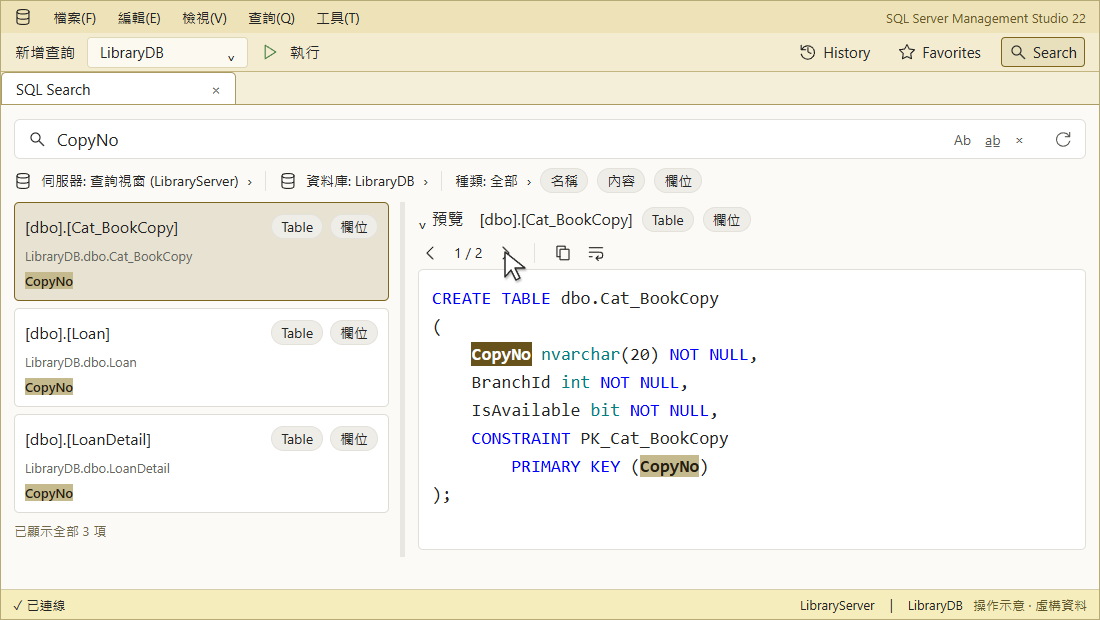
Find CopyNo in Search and use › for the next match. Row data is not searched.
History and Favorites
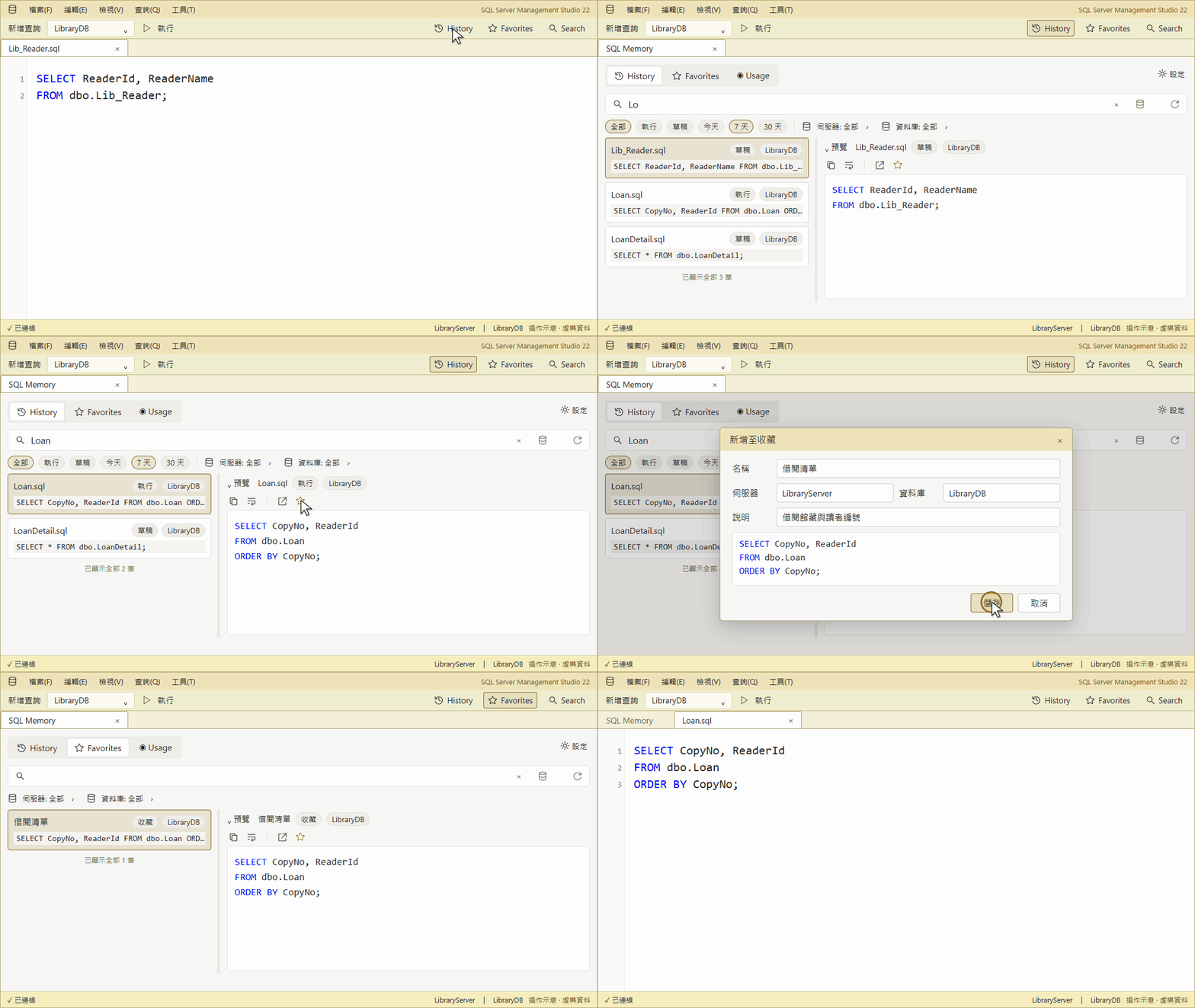
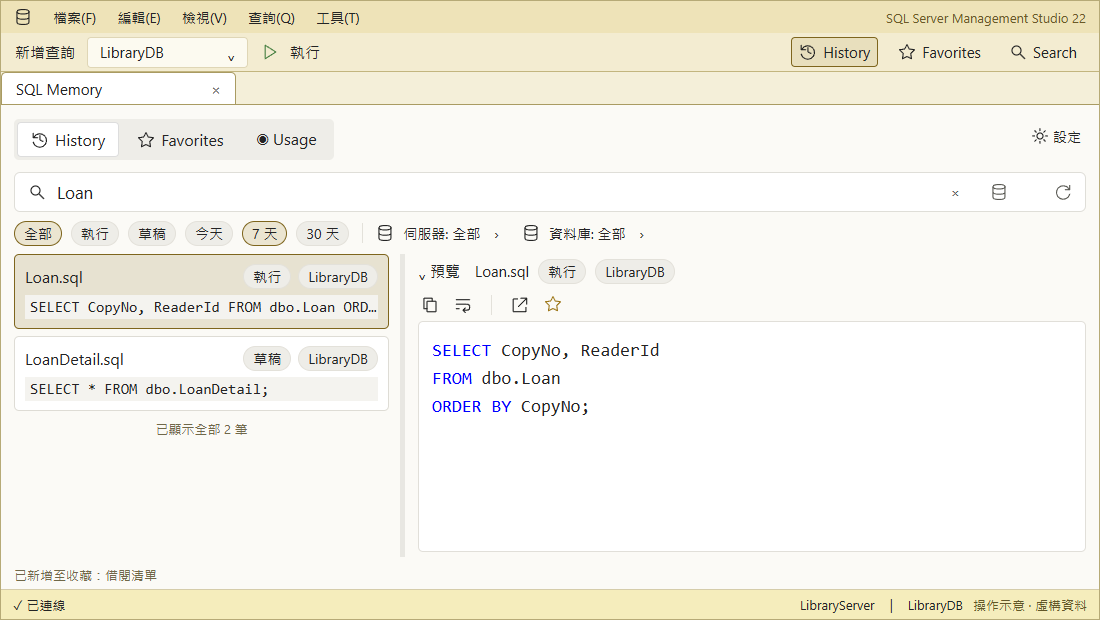
Find Loan in History, save it with ☆, then reopen it from Favorites without running it.
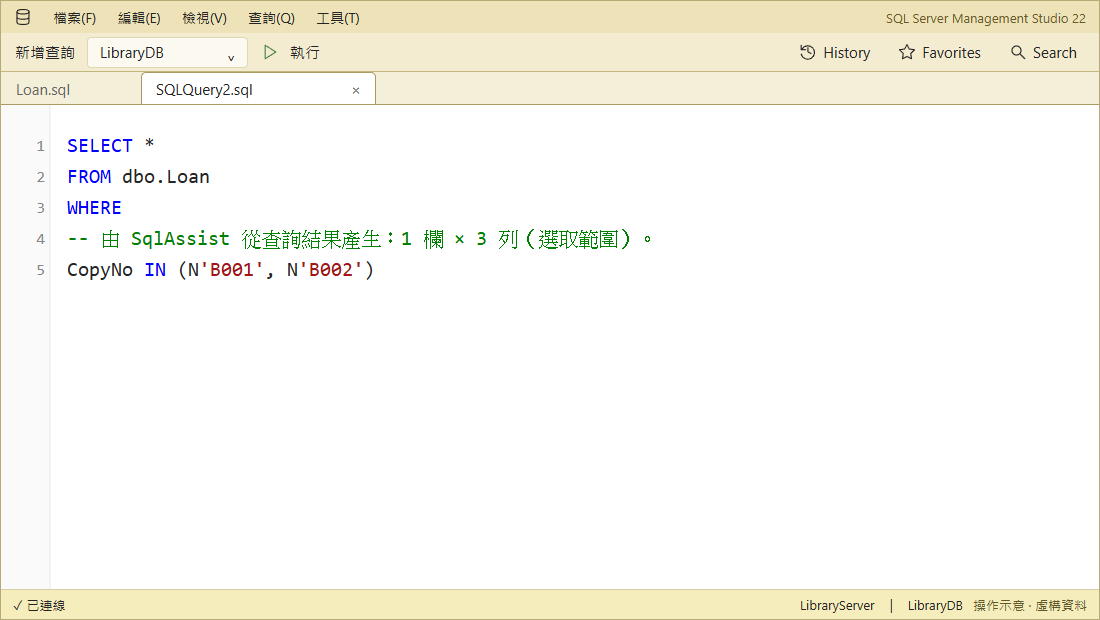
Reuse query results
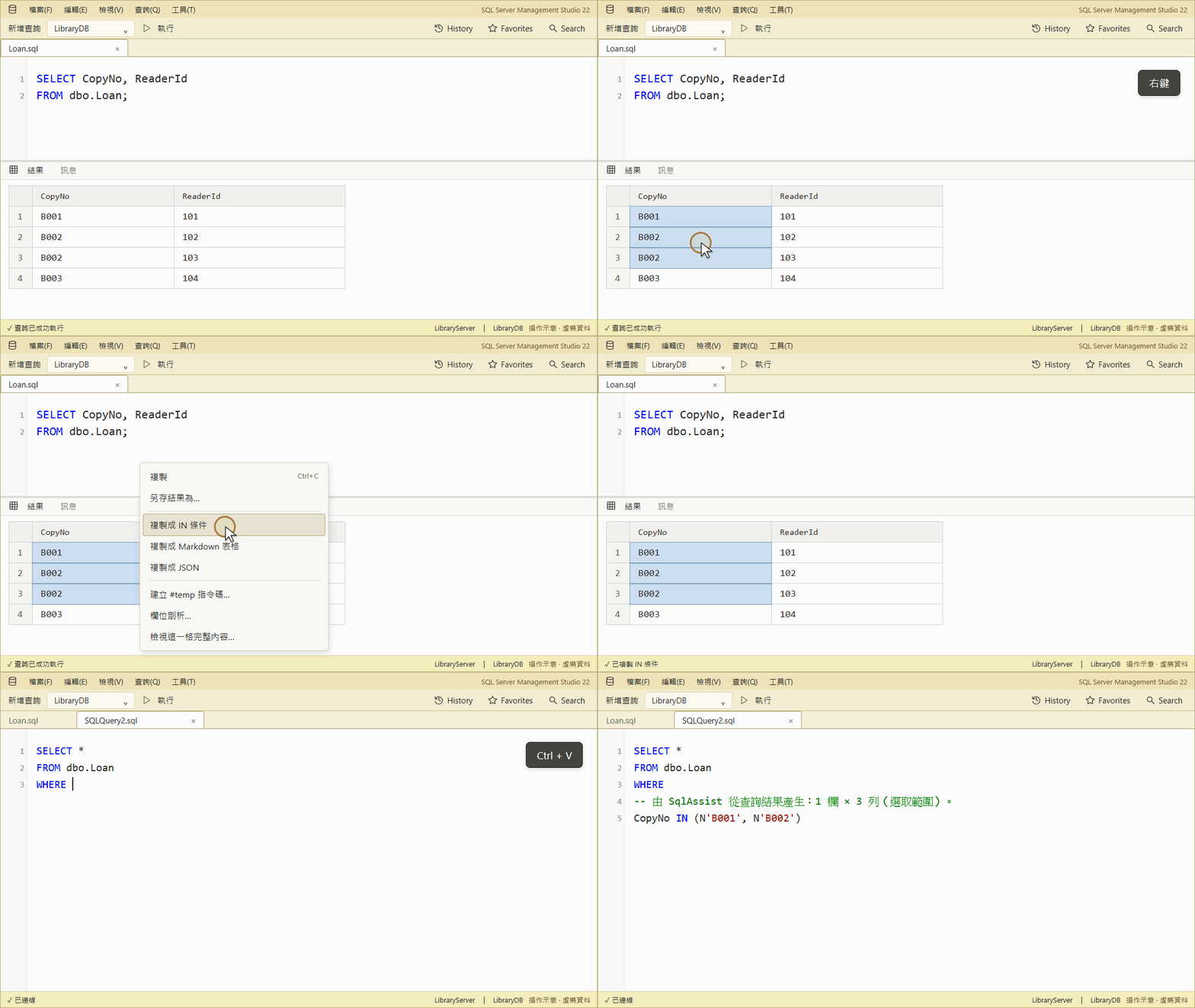
Copy selected cells as an IN predicate. The grid menu also builds #temp, Markdown, JSON, and column profiles.
Install
Requires Windows x64 and SSMS 22.9.x.
- Get
SqlAssist.Ssms22.vsixfrom the latest release. - Close SSMS, run the VSIX, and restart; Tools → SqlAssist confirms it loaded.
UI language follows SSMS; override it in Settings → SqlAssist → General.
IMPORTANT
Keep SSMS IntelliSense on; SqlAssist only suppresses its conflicting auto-list.
Learn more
⭐ If SqlAssist helps you, please star it on GitHub so others can find it.